
10. Blending

Blending hides the seams between stitched footage

Blending hides the seams between stitched footage

Blending uses a variety of mathematical evaluations of the image pixels to try and make one continuous piece of footage with invisible seams. Each camera lens that we shoot with inevitably has some overlap with the next camera - this is good, because it helps us align everything properly.

Blending is the step that helps determine, in areas that are duplicated, what takes precedence - what we see, how those two edges are joined together in a seam - just as if we were making a cloth globe out of individual pieces of fabric.

To see the blending options, click the Blend button at the top of the screen.

Click the Blend button to open the blending options
Click the Blend button to open the blending options

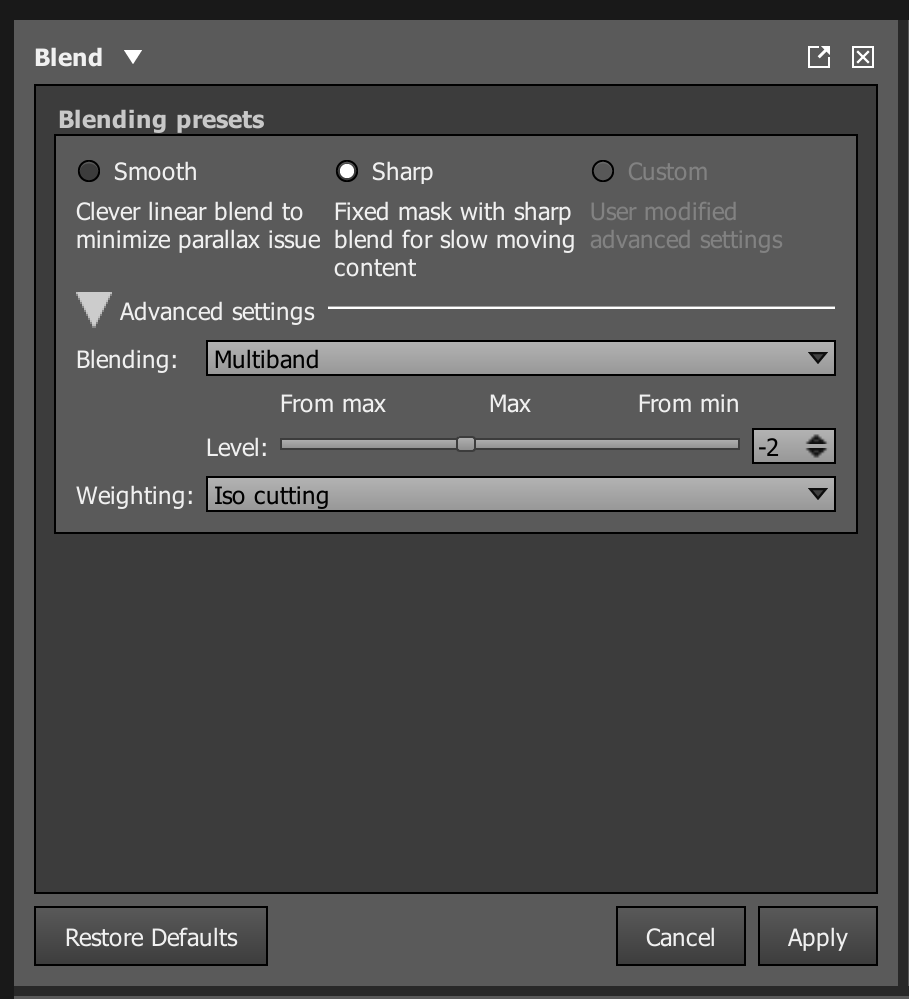
There are several blend options in Autopano Video.

There are several blend options in Autopano Video.

For this lesson, just use the Sharp preset. This set the Blending mode to Multiband and the Weighting mode to Iso cutting. It will work well for this relatively slow-moving content.
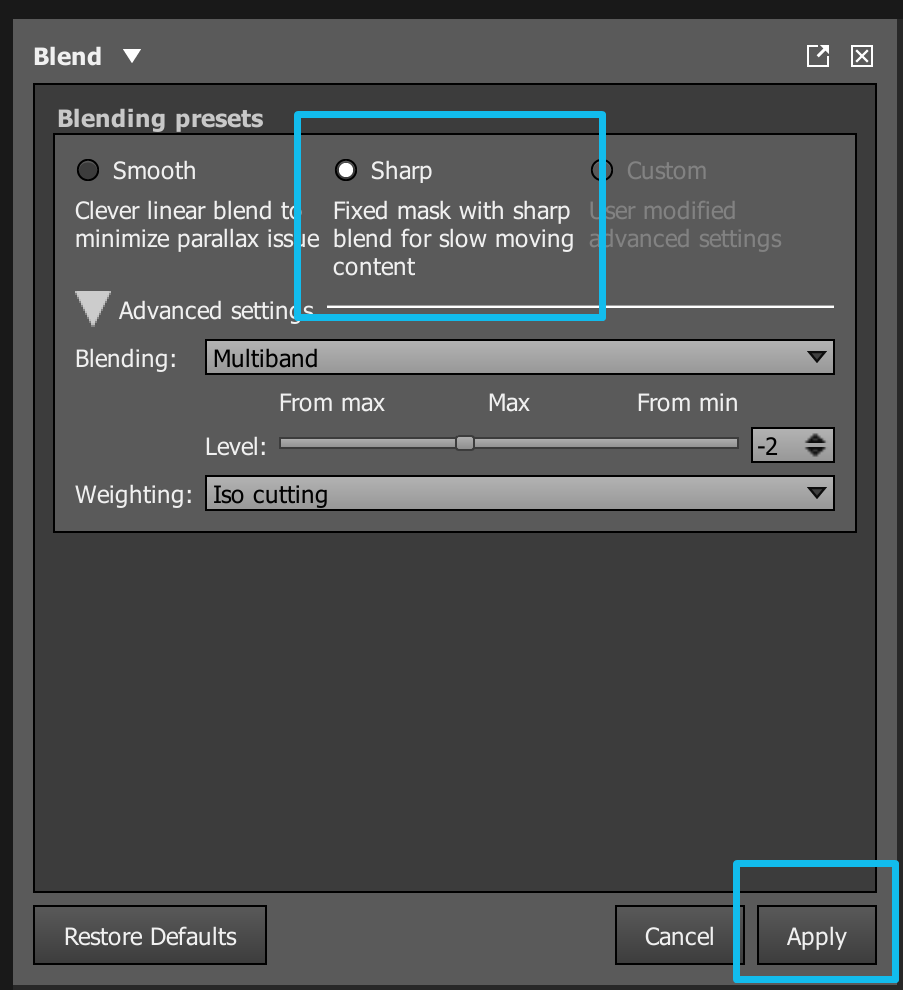
For now, just use the Sharp preset and click Apply

For now, just use the Sharp preset and click Apply

To go a little deeper, let’s talk about some of these options. We won’t be changing them now, but read on if you’d like to learn how they work.

If you just want to learn a quick workflow right now, then feel free to skip this section and go on to the next lesson.

The Maximum level of blending in this case has the value “0” - don’t worry too much about why - we will go into this further in the next lesson.

Smart Cutting is a way to remove ‘ghosts’ or things that appear in more than one part of the image (for example, a person that is visible to more than one camera but not perfectly aligned) It’s the most advanced technique for blending that we currently have and utilizes an algorithm that attempts to find a path that minimize the differences at the borders. This produces a clean seam between the two images.

Iso Cutting will do a better job of color blending if ghosting isn’t an issue.

For all cutting, imagine that you want to make this panoramic 360 sphere using printed photographs. You'd take each photograph and cut it with scissors. You'd make the cuts so that the seams are best hidden between each overlapping image. That's the purpose of the cutting algorithm. Now, imagine you could fade out around each cut. That's the purpose of the blending algorithm. It controls how much and where you blend the cuts.

Diamond is really designed for very specific problem cases, and would usually require using both Diamond and another alternate type of cutting, which are then composited together in a piece of software like Adobe After Effects. Diamond is great when you have seams that don’t really fix well because the source images are perhaps moving - for example, sunlight on water, or borders where you have trees moving in the wind. Again, we’ll cover more about types of cutting in the next lesson.